































Introduction
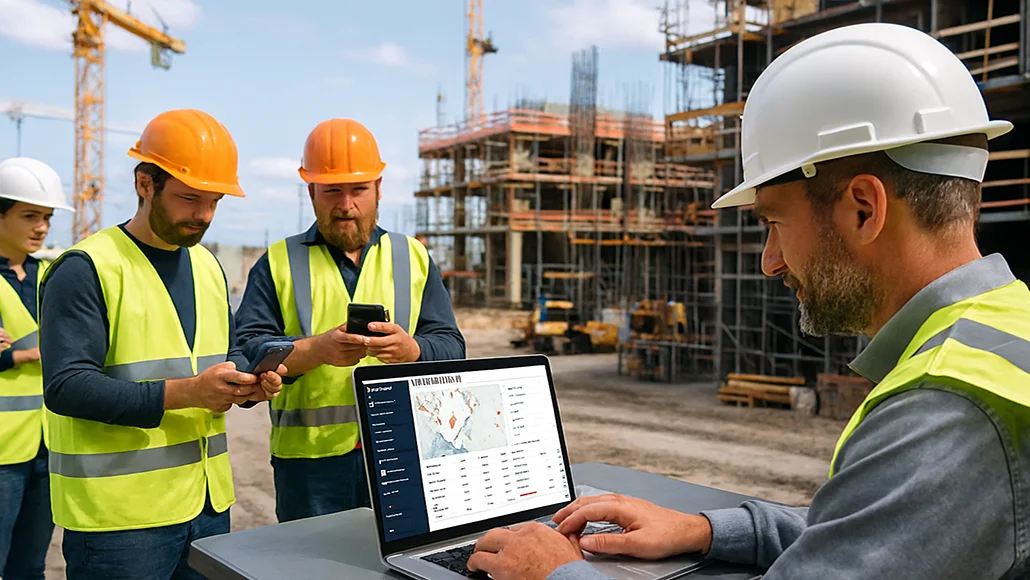
Construction teams often face challenges tracking labor hours across multiple sites. Mistimed or missed entries can increase costs and cause payroll errors. GPS time tracking keeps records accurate, helps calculate labor expenses correctly, and makes it easier to manage crews and projects. This guide reviews top GPS time tracking apps for construction, focusing on their features, pricing, advantages, and ideal users.
Comparison of Top Apps
| App | GPS Accuracy | Geofencing | Job Costing | Scheduling | Payroll Sync | Offline | Pricing |
| Workyard | High | Yes | Yes | Yes | Yes | Yes | $6/user + $50 base |
| Buddy Punch | Moderate | Yes | Yes | Yes | Yes | No | $5.49/user + $19 base |
| busybusy | High | Yes | Yes | Yes | Yes | Yes | $11.99/user + $40 admin |
| ClockShark | High | Yes | Yes | Yes | Yes | Yes | $9/user + $40 base |
1. Workyard: Accurate Tracking for Multi-Site Crews
Workyard is tailored for construction teams. It tracks arrival and departure times with GPS, manages job and task-level costing, and calculates pay rules automatically.
Features:
- Real-time GPS timestamps
- Job/task switch reminders
- Crew scheduling with mapped locations
- Timesheet alerts for missing entries
- Offline tracking and payroll connections
- Photo ID verification and kiosk mode
Pricing: 14-day trial, Starter $6/user + $50 base, Pro $13/user + $50 base
Best for: Contractors with multiple sites, subcontractor crews, T&M and prevailing wage projects
2. Buddy Punch: Flexible and Easy to Use
Buddy Punch supports multiple clock-in options and PTO tracking. Its scheduling and payroll tools suit small construction teams.
Features:
- Clock-in via PIN, QR code, password, or facial recognition
- Custom overtime and break rules
- PTO, sick leave, and vacation tracking
- Drag-and-drop scheduling
- Payroll connections
Pricing: 14-day trial, Starter $5.49/user + $19 base, Pro $6.99/user + $19 base
Best for: Small construction firms focused on compliance and simple scheduling
3. busybusy: GPS Tracking and Equipment Management
busybusy tracks both personnel and equipment, making it suitable for teams handling vehicles and heavy machinery across multiple sites.
Features:
- Geofenced clock-ins
- GPS tracking for workers and equipment
- Offline mode with automatic sync
- Photo and note logs with timestamps
- Custom project and cost codes
Pricing: 14-day trial, Pro $11.99/user + $40 admin, Premium $17.99/user + $40 admin
Best for: Contractors managing heavy equipment, demolition, or excavation
4. ClockShark: Suited for Franchises and Field Teams
ClockShark offers GPS and geofencing along with invoicing and job management tools, helpful for teams that bill clients directly or operate across multiple locations.
Features:
- GPS time clock with geofencing
- Mobile, web, and kiosk tracking
- Facial recognition in kiosk mode
- Job and client management
- Built-in quoting, invoicing, and payments
Pricing: 14-day trial, Standard $9/user + $40 base, Pro $11/user + $60 base
Best for: Small contractors, service franchises, and teams billing clients directly
Why GPS Time Tracking Is Useful
GPS tracking records hours linked to actual work locations, reducing offsite clock-ins, missed job switches, and rounded hours. It also helps assign labor to the right projects, giving managers clear cost data and supporting compliance with labor rules. Managers can see crew locations in real time without visiting every site.
Choosing a GPS Time Tracking App
When selecting an app, check for:
- Continuous GPS tracking
- Geofence clock-in/out
- Scheduling and approval options
- Payroll export or connections
- Offline capability
Start with a small pilot, train supervisors, and use photo verification to prevent buddy punching. These steps help ensure accurate tracking and smooth adoption.
Conclusion
Choosing the right GPS time tracking app comes down to what your crew needs on a daily basis. Some tools focus on detailed job tracking, others on scheduling or payroll support, and many offer a mix of both. Each option listed above gives construction teams a clearer view of hours, locations, and labor use across jobsites. Reviewing the features, pricing, and strengths of each app will help you decide which one fits your projects and work style best.
